Need your songs available without a signal? This guide covers what a YouTube Music download really is, how to set it up on a phone or computer, and what to do if you want files you can keep.
You pay for YouTube Music Premium and still lose your songs the moment the signal drops on a train. Frustrating. Here’s how to download music from YouTube Music the legitimate way, what those downloads actually are, and where they stop being useful.
What A Download Really Means Here
Don’t expect MP3 files. A YouTube Music download is a protected offline copy that lives inside the app, tied to your account and your Premium membership. You can’t drag it into a folder or play it in another app. Google’s help pages describe it this way, and the rule that surprises people most is the 30-day check-in. Your device has to reconnect to the internet at least once every 30 days, or the downloads stop playing.
How many songs fit depends on free storage, plus the length and quality of what you save. There’s no fixed track limit, only your phone’s capacity.
What You Need Before Starting
A YouTube Music Premium membership. Free accounts can’t download.
An Android phone, an iPhone or iPad, or the web app in a browser.
Free storage, since lossy audio still adds up over hundreds of tracks.
An internet connection at least once a month, so downloads stay valid.
Step-By-Step On a Phone
The process behind how to download music from YouTube Music is quick once you know where the buttons are.
Open the app and sign in with the Premium account.
Find the album, playlist, or song you want.
Tap the download arrow on the details page, or choose Download from the song’s menu.
Open Library, then Downloads, to see everything saved for offline play.
Go to your profile photo, then Settings, then Downloads and Storage, to adjust audio quality and choose which connection types are allowed.
Turn on Smart Downloads if you’d like the app to save music for you based on your listening history. Google says it can grab up to 200 of your recently played songs.
Tap Clear to download when you need space back.
Wi-Fi only is the safer setting. Otherwise, a big playlist can eat through mobile data fast.
Downloading on a Computer
The YouTube Music web app added offline downloads in 2024, so Premium members can save songs and podcasts from a browser too. The same 30-day rule applies, and the files stay inside the web app rather than in a normal folder. It’s handy for a laptop on a flight, but it doesn’t turn songs into portable files.
Keep Storage Under Control
Offline libraries grow quietly. A few habits keep them tidy.
Download playlists you actually play, not every album you’ve ever liked.
Check the Downloads tab once a week and remove anything stale.
Save big batches on Wi-Fi before a trip, and leave a few gigabytes free for photos and updates.
Pick a lower audio quality for long road trip playlists and a higher one for albums you care about.
Search results are full of sites and programs that promise to turn YouTube Music into MP3 files. Skip them. They go against YouTube’s terms, they often come bundled with ads or malware, and they can put your account at risk. The audio quality is usually worse, too. You’re gambling a Google account for a file you could buy for a few dollars.
If You Want Files You Own
Some people want music that doesn’t expire. Stores such as Bandcamp and the Qobuz store sell DRM-free files, so you pay once and keep them. Buying also helps artists more directly than a stream does. Once you have a folder of MP3s, MusConv can read local folders and write M3U playlists, which connects your owned files with the playlists you already made.
Where MusConv Fits
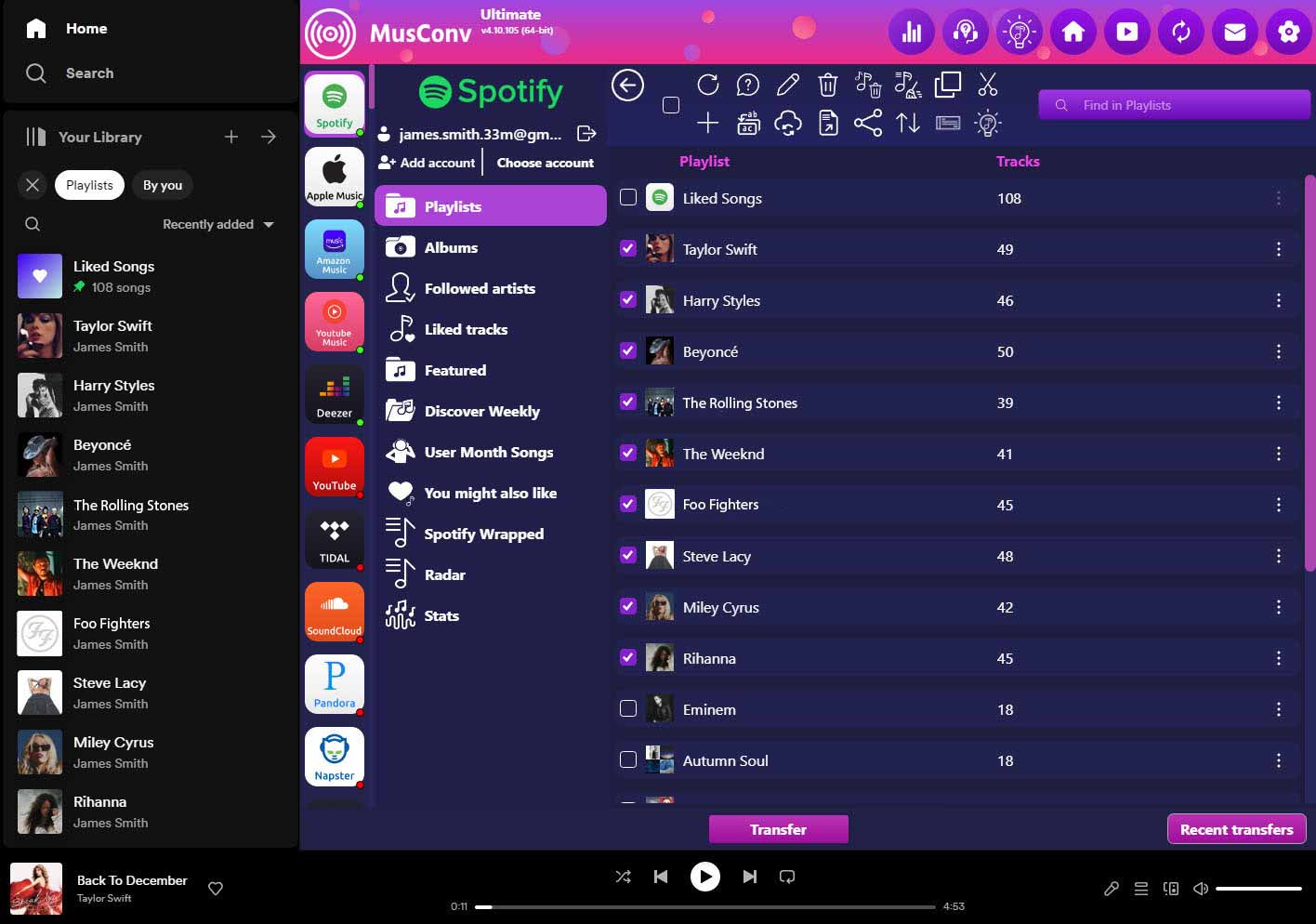
MusConv doesn’t download audio from any service. It moves your playlist data, meaning titles, artists, albums, and durations, through each service’s API after you approve access with OAuth. That matters here because offline listening is available on other services too, such as Spotify, Apple Music, Tidal, Deezer, and Amazon Music, usually with a paid plan. Move your YouTube Music playlists there, and you can download with that service’s own tools.
Picture the before and after. Before, you have 40 playlists tied to one app and one subscription. After, the same lists sit on whichever service gives you the offline setup you want. You can also export a playlist to CSV as a backup or paste a public playlist link into the Web URL field and transfer it without logging in to the source account.
The Windows and macOS programs handle big libraries, while the Android and iOS apps cover phone-based jobs. More than 125 services are supported. The free limit is 200 tracks, and the paid plans are listed here.
Basic costs $4.99 a month (regular price $9.99) for unlimited transfers of tracks, playlists, and albums.
Professional costs $7.99 a month and adds duplicate removal, plus views of your most played tracks, artists, and albums.
Ultimate costs $9.99 a month (regular $19.99) and adds fixes for unmatched tracks and song order sync.
Premium costs $10.99 a month (regular $21.99) and adds automatic sync, SpeedMatch, and priority support.
A one-time lifetime license and an annual option exist as well. App store prices may differ because of regional rules and store fees.
Common Problems And Fixes
Downloads stopped playing. You probably went past 30 days offline. Connect to the internet and open the app so it can refresh them.
The download button is missing. Check that you’re signed in with the Premium account and that the membership hasn’t lapsed.
Storage keeps filling up. Lower the audio quality, clear old downloads, or turn off Smart Downloads.
A song won’t play offline after a trip abroad. Availability can change with region, so reconnect and let the app update.
You want the songs in another app. Downloads only play inside YouTube Music, so move the playlist to another service or buy files instead.
Unsure what’s saved. Open Library, then Downloads, and check the list before you board.
That’s the honest answer on how to download music from YouTube Music. Pay for Premium, save what you need in the app, and reconnect once a month. If you want something you truly own, buy the files and build playlists around them.
Is there a way to export my playlists to a physical file like Excel or CSV?
Yes, MusConv includes a handy export feature. You can save your entire library as a CSV, XML, or TXT file, which is perfect for keeping a hard-copy backup of your music history outside of any app.
Will the tool move the descriptions and cover art of my playlists?
While cover art is usually generated by the platform itself, MusConv works to preserve your custom playlist titles and descriptions, keeping your curated "vibe" intact during the transition.
Does MusConv work on both Windows and macOS?
Definitely. The desktop application is cross-platform, providing a stable and identical experience whether you are managing your music on a MacBook or a Windows PC.
Can I stop or pause a transfer once it has started?
Yes, the interface gives you full control. You can pause the migration at any point or cancel the session if you realize you’ve selected the wrong folders or destination.