

MusConv easily imports your playlists and favorites from NeTease Music to Deezer
Start now!


With MusConv you can easily transfer all your music from NeTease Music to Deezer
How to transfer playlists from NeTease Music to Deezer?
You need to complete 3 easy steps to transfer playlists from NeTease Music to Deezer:
1 Select NeTease Music as the source service

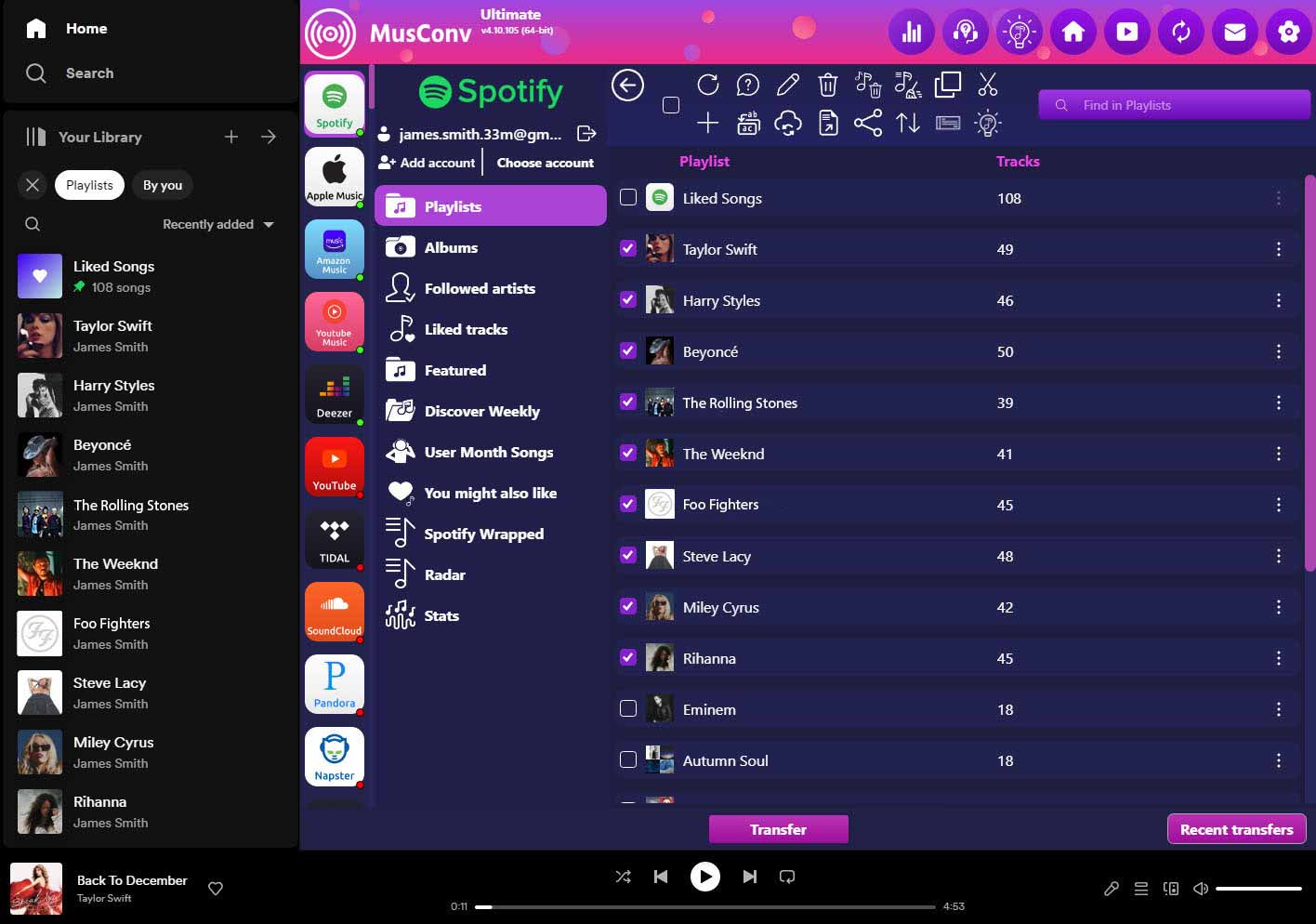
2 In the “Playlists” tab select playlists you want to transfer and click “Transfer”
3 Select Deezer as the destination service
Enjoy a cup of tea while MusConv works for you 😉 Once finished, your playlists and songs will be available on Deezer.
Move From NeTease Music to Deezer – Video Tutorial
How to transfer artists from NeTease Music to Deezer?
You need to complete 3 easy steps to transfer artists from NeTease Music to Deezer:
1 Select NeTease Music as the source service
2 In “Artists” tab select artists you want to transfer and click “Transfer”
3 Select Deezer as the destination service
The transfer will start. Once finished, your artists will be available on Deezer.
How to transfer favorite tracks from NeTease Music to Deezer?
You need to complete 3 easy steps to transfer favorite tracks from NeTease Music to Deezer:
1 Select NeTease Music as the source service
2 In “Tracks” tab select tracks you want to transfer and click “Transfer”
3 Select Deezer as the destination service
The transfer will start. Once finished, your favorite tracks will be available on Deezer.
Alternative method to transfer playlists and tracks from NeTease Music to Deezer:
- Select the source service as NeTease Music
- Select the playlists you want to copy
- Press “Transfer” and choose CSV file as the destination service
- Select the source service as just saved CSV file
- Press “Transfer” and select the destination service as Deezer
This method allows you to backup all your music data to a CSV file and use it at anytime to import to Deezer.
MusConv allows also to transfer your playlists from Apple Music to Spotify.


